
For online stores and developers
Sell our whole catalogue in your shop. We deliver the keys.
Games, DLC, software, Windows and Office, gift cards and subscriptions, by REST API or with the WordPress plugin. When your customer pays, the key is bought and delivered automatically, and charged to your prepaid balance (for example, top up 500 € and each order is charged by itself) or to your Wallet.
2% cheaper than our website
The API price is our own website price minus 2%, on every product of the catalogue.
No service fee
The website adds a fee at checkout. The API does not: you pay the API price and nothing else.
Prepaid balance or Wallet
Top up once, then every order is charged automatically. If the balance is not enough, the Wallet of your account covers it.
Works with
- Shopify
- WooCommerce
- Shopware
- Magento
- PrestaShop
- CS-Cart
- OpenCart
- BigCommerce
- + 120
POST /partner-api/v1/orders
Authorization: Bearer bck_live_…

{ "externalId": "shop-10045",
  "items": [ {
    "productId": "prod-17298",
    "qty": 1,
    "maxUnitPrice": 4.50 } ] }

→ 201 { "status": "completed",
        "total": "…",
"keys": [ { "value": "XXXXX-…" } ] }Active promotion
20% off every Microsoft product
Add the code to your orders and pay 20% less for every Windows, Office, Visio, Project and SQL Server licence. No fees, no minimum.
API field
"couponCode": "MICROSOFT20"In short
BuyCheapKeys offers online stores a REST API and a WordPress/WooCommerce plugin to resell its whole catalogue: games, DLC, software, Windows and Office, gift cards and subscriptions. The API price is the website price minus 2%, with no service fee. A store imports the product sheets in one or several of 7 languages, keeps price and stock in sync with a cursor, and orders a key when its own customer pays. The key usually comes back in the order response (or later by webhook if the order is still processing), paid from the store's prepaid balance or its Wallet. A free sandbox is available.
Updated:
The catalogue you can sell, live
These figures come straight from the API and refresh every few minutes. Prices are not published on this page: you see them with your key.
- 33,456
- products in stock
- 19
- platforms with stock
- 32,838
- games and DLC in stock
- 498
- software products in stock
- 120
- subscriptions in stock
Platforms with the most products
- Steam 25,960
- Xbox 4,578
- PlayStation 1,119
- GOG 426
- Epic Games 410
- Ubisoft Connect 330
- PC 305
- Microsoft 137
- EA App 120
- Rockstar 17
- Nintendo 13
- Mac 11
Some of what you can sell today
A sample of covers from the catalogue. Every product comes with its sheet: description, activation steps, requirements, screenshots and region.

Grand Theft Auto V Enhanced EU PC Rockstar Digital Download
RockstarKey

ELDEN RING NIGHTREIGN
SteamKey

EA SPORTS FC 26 (PS4/PS5 Account)
PlayStationAccount

EA Sports FC 24
EA AppKey

Minecraft Legends Deluxe Edition (Xbox Account)
XboxAccount
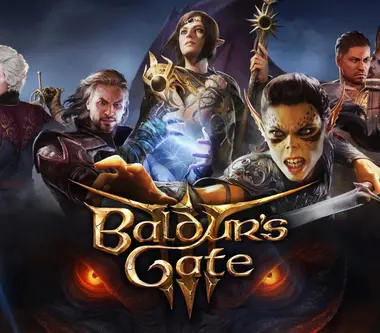
Baldur's Gate 3 (Steam Account)
SteamAccount

Forza Horizon 4 Ultimate Edition (Xbox Account)
XboxAccount

Call of Duty: Vanguard
XboxKey

Hogwarts Legacy
XboxKey

Hogwarts Legacy Digital Deluxe Edition (PS5 Account)
PlayStationAccount

Stardew Valley (Steam Gift)
SteamGift link

Black Myth: Wukong (Xbox Series X|S Account)
XboxAccount
Windows 11 Pro (Retail)
MicrosoftKey
Microsoft Windows 10 / 11 Pro - 20 PC - Volume MAK
MicrosoftKey
Microsoft Windows 10 / 11 Pro - 1 PC - Activate by Phone
MicrosoftKey
Microsoft Windows 10 / 11 Pro - 1 PC - OEM
MicrosoftKey
How it works
- 01
Create your account
Apply as a partner and create a sandbox key to try everything with fake keys. No money moves in the sandbox.
- 02
Import the catalogue
Read the products endpoint with the filters you need (platform, region, type, price) in one or several languages, then keep price and stock in sync with the cursor.
- 03
Your customer pays
The sale happens in your shop, with your price and your payment methods. Your shop sends one request: POST /orders with the product and the highest price you accept.
- 04
The key is delivered
The key usually comes back in the same response (if the order is "processing", it arrives by webhook or with GET /orders/{id}/keys), is charged to your balance or Wallet, and your shop sends it to your customer. The WordPress plugin does all of this by itself.
Filters and formats
Sell only what fits your shop. Every filter works on the products endpoint and you can combine them.
Delivery format
Key to redeem, gift link (Steam Gift), account or activation link. Each product says which one it is.
Platform
Steam, Xbox, PlayStation, Epic Games, GOG, Ubisoft Connect, EA App, Nintendo, Microsoft and more.
Region
The region of each key and the exact list of countries where it cannot be activated.
Product type
Games, DLC, software, Windows and Office, gift cards and subscriptions.
Price
Minimum and maximum price, sort by price, popularity, name or novelty.
Stock and changes
Only what is in stock, or only what changed since your last sync.
Product sheets in 7 languages
Names, descriptions and activation steps are available in English, Spanish, German, French, Italian, Portuguese and Polish. Choose one language, or import several at once for a multilingual shop with WPML or Polylang. Each product tells you the real language of its text.
- en
- es
- de
- fr
- it
- pt
- pl
Pay from a prepaid balance or your Wallet
Top up your balance once, for example 500 €, and every order is charged automatically at the moment your customer pays. If the balance is not enough, the Wallet of your account covers the rest. Every movement is in your ledger, and a webhook tells you when a top-up arrives.
Free sandbox
Sandbox keys (bck_test_) use the real catalogue and prices but return fake keys and a test balance. Nothing is charged and no real stock is used, so you can build and test the whole flow first.
Signed webhooks
Get notified when an order is completed or refunded, when a key is replaced, and when products change (products.updated and catalog.changed). Every event is signed with HMAC-SHA256 and retried for about a day.
WordPress and WooCommerce plugin
If your shop runs on WordPress you do not need to write code. Install the plugin, paste your API key and choose your margin.
Version 1.1.0 · free · WordPress + WooCommerce
Download the plugin- Imports each product with its sheet, activation steps and requirements
- Updates price and stock automatically, with your margin and rounding
- Checks the cart before checkout and blocks products that cannot be delivered
- Buys the key when the order is paid and emails it to your customer
- Shows the key in the order page and in My Account, stored encrypted
- Retries by itself if something fails and warns you by email
API documentation
Everything you need to integrate: authentication, catalogue sync, filters, orders, key delivery, claims, webhooks, errors and limits.
Read the API documentation# 1. Read the catalogue (sheets, price, stock) in your language
curl "https://buycheapkeys.com/partner-api/v1/products?lang=en&inStock=true&limit=100" \
-H "Authorization: Bearer $BCK_API_KEY"
# 2. Buy a key when your customer pays
curl -X POST "https://buycheapkeys.com/partner-api/v1/orders" \
-H "Authorization: Bearer $BCK_API_KEY" \
-H "Content-Type: application/json" \
-H "Idempotency-Key: shop-10045" \
-d '{ "externalId": "shop-10045",
"items": [ { "productId": "prod-17298", "qty": 1, "maxUnitPrice": 4.50 } ] }'Platforms
Works with Shopify, Shopware, Magento, PrestaShop and any other store platform
If your platform can send a request when an order is paid, it can sell our catalogue. That covers the list below, which has more than 120 names, and any shop you coded yourself. The only plugin we ship today is for WooCommerce. On everything else you connect through the REST API.
How it connects on any platform
- 01
Catalogue
Read the products endpoint to import names, descriptions, activation steps and cover images, and to keep price and stock current.
- 02
Paid order
Your platform fires its paid-order event: a webhook, a hook, a flow or a scheduled job. That event calls POST /orders with the product and the highest price you accept.
- 03
Delivery
The response carries the key. Your store emails it to the customer and shows it in the order. If the key is not ready yet, the order.completed webhook tells you when it is.
Common routes by platform
Every platform has its own way to react to a paid order. These are the ones most stores use. Your developer, or a tool like Zapier or Make, can set up any of them.
- WooCommercePlugin
BuyCheapKeys plugin - ShopifyAPI
orders/paid webhook - ShopwareAPI
Flow Builder + HTTP request - Magento / Adobe CommerceAPI
sales_order_invoice_pay observer - PrestaShopAPI
actionPaymentConfirmation hook - CS-CartAPI
change_order_status hook - OpenCartAPI
order history event - BigCommerceAPI
store/order/statusUpdated webhook - SaleorAPI
ORDER_FULLY_PAID webhook - MedusaAPI
order subscriber - SyliusAPI
state machine callback - nopCommerceAPI
OrderPaidEvent consumer - commercetoolsAPI
Subscriptions - WixAPI
Velo backend - SquarespaceAPI
Orders API webhook - EcwidAPI
order webhook
All platforms by type
Hosted store builders
- Shopify
- Shopify Plus
- BigCommerce
- Wix
- Squarespace
- Ecwid
- Square Online
- Weebly
- GoDaddy Online Store
- Shift4Shop
- Volusion
- Big Cartel
- Webflow Ecommerce
- Jimdo
- Lightspeed eCom
- Zoho Commerce
- Storenvy
- Selz
Open source and self-hosted
- WooCommerce
- Magento Open Source
- PrestaShop
- OpenCart
- CS-Cart
- Zen Cart
- osCommerce
- Sylius
- Bagisto
- Spree Commerce
- Solidus
- Saleor
- Medusa
- Vendure
- nopCommerce
- Shopware
- Drupal Commerce
- thirty bees
- Apache OFBiz
- Aimeos
- Lunar
- EverShop
- Craft Commerce
- VirtueMart
- HikaShop
- Pimcore
Enterprise and headless commerce
- Adobe Commerce
- Salesforce Commerce Cloud
- SAP Commerce Cloud
- Oracle Commerce
- HCL Commerce
- commercetools
- Commerce Layer
- Elastic Path
- Kibo Commerce
- fabric
- Swell
- Spryker
- Intershop
- OroCommerce
- Sana Commerce
- Optimizely Commerce
- Emporix
- Crystallize
- Centra
Marketplace software
- Dokan
- WCFM Marketplace
- WC Vendors
- CS-Cart Multi-Vendor
- Mirakl
- Sharetribe
- Arcadier
- Marketplacer
- Yo!Kart
Digital product sellers
- Easy Digital Downloads
- Gumroad
- Lemon Squeezy
- Paddle
- FastSpring
- Sellfy
- SendOwl
- Payhip
- Podia
- Sellix
ERP and business suites
- Odoo eCommerce
- ERPNext
- NetSuite SuiteCommerce
- Microsoft Dynamics 365 Commerce
- plentymarkets
Regional platforms
- Tiendanube
- Nuvemshop
- VTEX
- Tray
- Loja Integrada
- Yampi
- Jumpseller
- Shoper
- Shoplo
- IdoSell
- Sky-Shop
- WiziShop
- OXID eShop
- Gambio
- JTL-Shop
- EC-CUBE
- BASE
- STORES
- MakeShop
- Cafe24
- Shoplazza
- Shopline
- Youzan
- Ueeshop
- Dukaan
Automation tools
- Zapier
- Make
- n8n
- Pipedream
- Microsoft Power Automate
Stores built from scratch
- Laravel
- Symfony
- Django
- Ruby on Rails
- Node.js
- Next.js
- Nuxt
- ASP.NET
- Spring Boot
- Go
Your platform is not on the list?
If it can call a URL when a payment is confirmed, it works. Write to partners@buycheapkeys.com and we will point you to the right trigger.
Frequently asked questions
What is the best API to resell game keys?
How much does the BuyCheapKeys reseller API cost?
How do I sell game keys in my WooCommerce store?
Can I use it with Shopify, Magento, Shopware, PrestaShop or my own shop?
Which products can I sell?
How are the keys delivered?
How do I pay for the orders?
Which languages are the product sheets available in?
How do I keep prices and stock in sync?
Can I test the API without paying?
What happens if a key does not work?
Start selling the whole catalogue
Create a partner account, test in the sandbox and go live when you are ready.
BuyCheapKeys is an independent reseller. Platform and brand names belong to their owners and are used only to describe compatibility. Check that the licence type and region suit your customers and the law of your country.
API documentation
Contents
REST/JSON API to sell the whole BuyCheapKeys catalogue on your own site. The API price is the website price minus 2 %, with no service fee. Each order is paid from your prepaid balance (or your Wallet) and the keys come back in the same response.
Overview
Base URL: https://buycheapkeys.com/partner-api/v1. All requests and responses are JSON (UTF-8). Prices are in EUR with two decimals and do not include VAT. Dates are ISO 8601 in UTC.
- Catalogue: the whole catalogue of the website (games, DLC, software, Windows and Office, gift cards, subscriptions) with product sheets in 7 languages (en, es, de, fr, it, pt, pl).
- Price: API price = website price minus 2 %, and no service fee (the website charges a fee at checkout; the API does not).
GET /mereturnsdiscountPercentandserviceFee: 0. - Orders: buy up to 10 lines x 9 units per request; the total is charged at once to your prepaid balance and, if that is not enough, to your Wallet.
- Delivery: the keys are in the response of the order and can be read again with GET /orders/{id}/keys.
- Claims: a faulty key can be claimed for 14 days from your partner dashboard; a replacement key reaches your order automatically and a refund goes back to your balance.
WordPress/WooCommerce? Use the plugin (see the Plugin section above): it imports the catalogue, keeps price and stock in sync and delivers the keys without code.
Authentication and environments
Create keys in Dashboard → Partner → API keys. A key is shown once; we only store its hash. Send it in the Authorization header (X-Api-Key is accepted too).
curl https://buycheapkeys.com/partner-api/v1/ping \
-H "Authorization: Bearer bck_test_xxxxxxxxxxxx_..."| Key prefix | Mode | Behaviour |
|---|---|---|
| bck_test_ | Sandbox | Real catalogue and prices, separate test balance (resettable), fake keys like TEST-AB12C-…, no money moves. Webhooks are sent with mode: test. |
| bck_live_ | Production | Real purchases charged to your live balance (and Wallet). |
| Scope | Allows |
|---|---|
| catalog:read | GET /products, /products/{id}, /meta, /me, /ping, /gift-cards |
| webhooks:write | PUT, GET and DELETE /webhook (register or remove your webhook URL) |
| orders:write | POST /orders, POST /gift-cards/orders |
| orders:read | GET /orders, /orders/{id}, /orders/{id}/keys, /gift-cards/orders, /gift-cards/orders/{id}, POST /webhooks/test |
| balance:read | GET /balance |
Optional IP allowlist (IPv4/IPv6, CIDR) per account. Keys never expire unless revoked; rotate them by creating a new key and revoking the old one. GET /public/catalog needs no key.
Quick start
1) Create a bck_test_ key. 2) List products. 3) Place an order: it comes back completed, with the keys. 4) Read the keys again at any time with GET /orders/{id}/keys. Accounts still being approved can use sandbox keys.
curl "https://buycheapkeys.com/partner-api/v1/products?lang=en&limit=100&inStock=true" \n -H "Authorization: Bearer $BCK_API_KEY"Catalogue and synchronisation
GET /products returns the products ordered by updatedAt (then id). updatedAt only changes when something you care about changes (price, stock, name, region, texts, images). Sync with the cursor: every response has nextCursor and hasMore; pass nextCursor back as ?cursor= until hasMore is false and keep it for the next run. It never skips or repeats products, even when many share the same timestamp (the cursor always follows updatedAt; sort only applies when you browse by pages).
Two formats: fields=full (default, up to 100 products per page) is the whole sheet; fields=summary (up to 500 per page) returns only id, price, shopPrice, currency, inStock, qty, updatedAt and removed, perfect for keeping price and stock up to date every minute.
# Light incremental sync: only id, price, stock and flags (up to 500 per page)
curl "https://buycheapkeys.com/partner-api/v1/products?fields=summary&limit=500&includeRemoved=true&cursor=$SAVED_NEXT_CURSOR" \n -H "Authorization: Bearer $BCK_API_KEY"- Recommended: full import once (fields=full, in the language(s) of your shop), then every 1–5 minutes
fields=summaryfrom the storednextCursor, always withincludeRemoved=true. - Availability: if the website cannot sell a product (no stock, stock disabled, cost above our cap) it appears as
inStock: false, qty: 0in less than a minute; a hidden or deleted product hasremoved: true. Never sell those. - Catalogue changes are announced by webhook (
products.updated,catalog.changed), so polling can be rare. GET /public/catalog?lang=(no key, cached 10 minutes) returns live figures and a few featured covers for your own landing page.
Filters, sorting and languages
lang (en, es, de, fr, it, pt, pl; default en) chooses the language of names and descriptions. Each product has language with the real language of the text (en when a translation is missing). One language or several: call once per language, or import all seven for WPML/Polylang/multilingual stores. Lists accept comma-separated values.
| Parameter | Values / meaning |
|---|---|
| platform | Steam, Xbox, PlayStation, Epic Games, GOG, Ubisoft Connect, EA App, Nintendo, Microsoft, … (see /meta) |
| region | Region label (Global, Europe, …); see /meta |
| productType | game, dlc, software, gift-card, gift, subscription, game-point |
| deliveryType | key, gift (Steam Gift link), account, link (activation link) |
| category | game, dlc, software, microsoft, gift-card, gift, subscription |
| genre | Genre name (see /meta) |
| minPrice / maxPrice | EUR, API price |
| inStock | true to list only what can be sold now |
| search | All words, matched against the name and the translated title |
| ids | Up to 200 product ids |
| updatedSince / includeRemoved | Changes since a date; include retired products |
| sort | updated, popularity, name, price_asc, price_desc, newest (with pages; the sync cursor always follows updatedAt) |
| fields / limit / cursor / page | full or summary; up to 100 (full) or 500 (summary); cursor for sync; page for browsing |
# Steam keys of games, Europe or Global, between 5 and 30 EUR, sorted by price, product sheets in Spanish
curl -G "https://buycheapkeys.com/partner-api/v1/products"   -H "Authorization: Bearer $BCK_API_KEY"   --data-urlencode "lang=es"   --data-urlencode "platform=Steam"   --data-urlencode "productType=game"   --data-urlencode "deliveryType=key"   --data-urlencode "minPrice=5" --data-urlencode "maxPrice=30"   --data-urlencode "inStock=true" --data-urlencode "sort=price_asc" --data-urlencode "limit=50"

# Facets with counts (platforms, regions, product types, genres, price range)
curl "https://buycheapkeys.com/partner-api/v1/meta" -H "Authorization: Bearer $BCK_API_KEY"
GET /meta returns the facets with counts and stock (platforms, regions, product types, genres, languages, price range, sort values) so you can build your own filters.
Product fields
{
  "id": "prod-17298",
  "name": "Terraria (Steam Gift)",
  "language": "en",
  "platform": "Steam",
  "region": "Europe",
  "productType": "game",
  "deliveryType": "gift",
  "category": "game",
  "price": 3.71,
  "shopPrice": 3.79,
  "discountPercent": 2,
  "rrp": 9.99,
  "currency": "EUR",
  "inStock": true,
  "qty": 12,
  "activation": { "excludedCountries": ["RU", "BY", "..."], "allowedCountryCount": 53 },
  "shortDescription": "Dig, fight, explore, build.",
  "description": "Plain-text description...",
  "descriptionHtml": "<p>Clean HTML without links or images...</p>",
  "features": ["Single player", "Co-op"],
  "activationSteps": [],
  "activationDetails": "You will receive a gift link...",
  "systemRequirements": [ { "system": "Windows", "requirement": ["..."] } ],
  "languages": ["English", "Spanish", "German"],
  "genres": ["Action", "Adventure"],
  "developer": "Re-Logic", "publisher": "Re-Logic", "releaseDate": "2011-05-16", "ageRating": "PEGI 12",
  "coverImage": "https://buycheapkeys.com/...cover.webp",
  "screenshots": ["https://buycheapkeys.com/..."],
  "videos": ["https://www.youtube.com/watch?v=..."],
  "url": "https://buycheapkeys.com/en/product/terraria-steam-europe-238023",
  "updatedAt": "2026-11-19T10:05:12.881Z",
  "removed": false
}| Field | Meaning |
|---|---|
| price | Your unit price in EUR: website price minus 2 %. Re-checked live when you order. |
| shopPrice / discountPercent | Website price and your discount (2). |
| rrp | Real retail price when it is higher than the API price; otherwise null. |
| deliveryType | key = code to redeem · gift = Steam Gift link · account = login credentials · link = activation link. Tell your customer which one they buy. |
| region / activation | Region label plus the exact ISO list of countries where it can NOT be activated. |
| productType / category / edition / licenseType | Classification of the product. |
| language | Language of the texts of this response. |
| shortDescription / description / descriptionHtml / features | Texts. descriptionHtml is clean HTML without links or images. |
| activationSteps / activationDetails / systemRequirements | Redemption instructions and requirements. |
| languages / genres / developer / publisher / releaseDate / ageRating | Game data. |
| coverImage / screenshots / videos | Images from our CDN (cache them on your side) and YouTube videos. |
| qty | Units in stock (capped at 999). |
| url | Public product page on the website. |
Orders
POST /orders with externalId (your unique reference) and items (productId, qty 1–9, maxUnitPrice). For each line we check the live price: if it is above maxUnitPrice the whole order is rejected with PRICE_CHANGED and nothing is charged. If it is lower, you pay the lower price. The cheapest source with stock sells, like on the website.
Recommended: send storeUrl (the URL of your shop where the product is sold) in the body of POST /orders, or the header X-Store-Url on any call. It is optional; the WordPress plugin sends your site URL automatically.
Promo code: add couponCode: MICROSOFT20 to pay 20 % less on Microsoft products (Windows, Office, Visio, Project, SQL Server) while the promotion is active. It is only applied to those lines; an unknown code or an ended promotion returns INVALID_COUPON and nothing is charged.
const res = await fetch("https://buycheapkeys.com/partner-api/v1/orders?wait=20", {
  method: "POST",
  headers: {
    Authorization: `Bearer ${process.env.BCK_API_KEY}`,
    "Content-Type": "application/json",
    "Idempotency-Key": `shop-order-${order.id}`, // same value on every retry
  },
  body: JSON.stringify({
    externalId: String(order.id),
    items: [{ productId: "prod-17298", qty: 1, maxUnitPrice: 4.5 }],
  }),
});
const data = await res.json();
if (!res.ok) throw new Error(`${data.error.code}: ${data.error.message}`);
if (data.status === "completed") {
  const { keys } = await (await fetch(`https://buycheapkeys.com/partner-api/v1/orders/${data.id}/keys`, {
    headers: { Authorization: `Bearer ${process.env.BCK_API_KEY}` },
  })).json();
  // deliver keys[].value to your customer
}- Send an
Idempotency-Keyheader (8–100 chars) and reuse it when you retry: you get the original response and are never charged twice.externalIdis also unique per account. - The order is completed in the same request (
?wait=20waits up to 20 s): the response has statuscompletedand akeysarray. A replayed request returns the order without its keys andkeysOmitted: true: read them with GET /orders/{id}/keys. - No stock or low balance: nothing is charged and no key is used (
OUT_OF_STOCK,INSUFFICIENT_BALANCE).maxUnitPriceis a ceiling for every key. - If a request times out, send it again with the same externalId: you get
DUPLICATE_EXTERNAL_IDwith the order id and can read its keys.
| Status | Meaning |
|---|---|
| completed | All units delivered. The keys are in the response. |
| partially_refunded | Some keys were refunded to your balance after claims. |
| refunded | Every key of the order was refunded to your balance. |
Key delivery
GET /orders/{id}/keys returns every delivered unit: value holds the code, the Steam Gift URL, the account credentials or the activation link depending on deliveryType. contentType is text/plain or an image type (then value is base64).
Store keys encrypted and show them only to the buyer. The first download of each order is logged on our side as delivery evidence.
Claims and refunds
A faulty key can be claimed for 14 days. Open the order in Dashboard → Orders (API orders), pick the key, write to the seller and attach screenshots of the activation error. The seller can send a replacement key (it appears in your order and you get the key.replaced webhook) or refund the key (the price returns to your API balance once and you get order.refunded). If you do not agree, escalate and BuyCheapKeys decides.
Check the region, excludedCountries and the licence type before selling, and show them to your customer. A refund to your balance does not refund your own customer: that is your decision.
BuyCheapKeys Gift Cards in bulk
Besides gift cards from other brands (they are products of the catalogue, productType=gift-card), you can buy our own gift cards to resell: codes BCK-XXXX-XXXX-XXXX-XXXX that add their value to the BuyCheapKeys Wallet of whoever redeems them at buycheapkeys.com/wallet. GET /gift-cards returns the values on sale, the volume discounts, the maximums per order and your Wallet balance. POST /gift-cards/orders buys N cards of one value and returns the codes at once; GET /gift-cards/orders/{id} shows them again with the status of each code.
curl https://buycheapkeys.com/partner-api/v1/gift-cards \
-H "Authorization: Bearer $BCK_API_KEY"- Paid only from the BuyCheapKeys Wallet of your shop account (top it up at buycheapkeys.com/wallet), not from the API balance. Price = face value minus the volume discount for that quantity.
- Values, discounts and maximums can change: send
maxTotalto refuse a higher total (PRICE_CHANGED, nothing charged).Idempotency-Keyand the uniqueexternalIdwork as for orders. - Sale paused:
PRODUCT_UNAVAILABLE(409). Value not sold or quantity out of range:VALIDATION_ERROR. Order too large:ORDER_LIMIT_EXCEEDED. Not enough Wallet balance:INSUFFICIENT_BALANCE(402). - Sandbox keys return fake
BCK-TEST-…codes that cannot be redeemed and charge nothing. - Sold codes are final. Each code has an expiry date (
expiresAt) and redemption limits per account. A code we block for fraud is no longer shown (code: null, statusblocked). Store the codes encrypted.
Webhooks
Set an https URL in Dashboard → Webhooks (or PUT /webhook); you get a signing secret (whsec_…). Every event is a POST with headers X-BCK-Event, X-BCK-Delivery (unique id: de-duplicate on it) and X-BCK-Signature: t=<unix>,v1=<hex> where v1 = HMAC-SHA256(secret, t + "." + rawBody).
| Event | When |
|---|---|
| order.completed | An order was completed. |
| order.refunded | A claim ended in a refund to your balance (`refundedSale`, `amount`). |
| products.updated | Price, stock or availability of products changed: `data.products` holds up to 100 products in summary format per event (`removed: true` when retired). |
| catalog.changed | More than 1000 products changed at once: run the cursor sync (`fields=summary`) instead of reading the event. |
| product.updated | Hand-curated Windows and Office products only (plugin 1.0): `data.product` has the full product. |
| key.replaced | A seller replaced a key: `oldKeyId`, `newKeyId`; read the new key with GET /orders/{id}/keys. |
| balance.credited | A top-up was added to your balance. |
| webhook.test | Sent by POST /webhooks/test or the dashboard button. |
{
  "id": "evt_4m2k9q7x1z8c3v5b6n0p",
  "event": "order.completed",
  "mode": "live",
  "createdAt": "2026-10-01T16:20:31.512Z",
  "data": { "id": "po_7f3k2m9q4x8z1c5v6b0n", "externalId": "shop-10045", "status": "completed", "total": 3.71, "...": "same object as GET /orders/{id}" }
}- Answer 2xx within 8 s and do the work asynchronously. Redirects are not followed.
- Failed deliveries are retried after 10 s, 30 s, 1 min, 5 min, 15 min, 30 min, 1 h, 2 h, 4 h, 6 h and 12 h (~26 h).
- Events may arrive out of order or more than once: always re-read GET /orders/{id} or the cursor when in doubt.
Errors
Errors use HTTP status codes and a stable code. Quote requestId when contacting support.
{
  "error": {
    "code": "PRICE_CHANGED",
    "message": "The price of prod-17298 is now 3.95 EUR, above your maxUnitPrice.",
    "details": { "productId": "prod-17298", "currentPrice": 3.95 },
    "requestId": "req_k3m9x2q8z7c1v4b6"
  }
}| code | HTTP | Meaning | What to do |
|---|---|---|---|
| UNAUTHORIZED | 401 | Missing, invalid, revoked or expired key. | Check the key; create a new one in the dashboard. |
| ACCOUNT_NOT_ACTIVE | 403 | Partner account pending, suspended or rejected. | Contact us. |
| IP_NOT_ALLOWED | 403 | Request IP not in your allowlist. | Add the IP in Dashboard → Webhooks & security. |
| INSUFFICIENT_SCOPE | 403 | The key lacks the scope for this endpoint. | Create a key with the scope. |
| NOT_FOUND | 404 | Unknown product, order or route. | — |
| VALIDATION_ERROR | 400 | Invalid body or parameters (details lists each field). | Fix the request; do not retry as is. |
| INSUFFICIENT_BALANCE | 402 | Balance too low. Nothing was charged. | Top up and retry. |
| PRICE_CHANGED | 409 | Live unit price above maxUnitPrice. Nothing was charged. | Re-price (details.currentPrice) and retry. |
| INVALID_COUPON | 400 | couponCode unknown, or the promotion has ended. Nothing was charged. | Remove the code or send the active one (MICROSOFT20). |
| OUT_OF_STOCK | 409 | Not enough units available. Nothing was charged. | Retry later or hide the product. |
| PRODUCT_UNAVAILABLE | 409 | Product not sellable through the API. | Remove it from your shop. |
| DUPLICATE_EXTERNAL_ID | 409 | externalId already used; details.orderId is the existing order. | Fetch that order instead. |
| IDEMPOTENCY_CONFLICT | 409 | Idempotency-Key reused with a different body. | Use a new key per order. |
| IDEMPOTENCY_IN_PROGRESS | 409 | Same Idempotency-Key still being processed. | Retry in a few seconds. |
| ORDER_LIMIT_EXCEEDED | 422 | Order total above your per-order limit. | Split the order or ask for a higher limit. |
| DAILY_LIMIT_EXCEEDED | 422 | 24-hour spend limit reached. | Wait or ask for a higher limit. |
| RATE_LIMITED | 429 | Too many requests. | Back off (details.retryAfterMs). |
| SERVICE_UNAVAILABLE | 503 | Temporarily unable to sell. Nothing was charged. | Retry with exponential backoff. |
| INTERNAL_ERROR | 500 | Unexpected error (logged with requestId). | Retry with the same Idempotency-Key. |
Limits
| Limit | Value |
|---|---|
| Requests per key | 20 / second and 600 / minute |
| Orders per account | 120 / minute |
| Key downloads per account | 300 / minute |
| Lines per order / units per line | 10 / 9 |
| Order value and 24-hour spend | Per account (see Dashboard → Overview); ask us to raise them |
| Page size | 100 products (fields=full), 500 (fields=summary), 100 orders |
| ids filter | 200 ids |
Balance, Wallet and top-ups
Orders are charged to your prepaid API balance and, if it is not enough, to the Wallet of your account. GET /balance returns the balance of the key's mode; GET /me also shows walletBalance and available. Top up from Dashboard → Balance (for example 500 EUR, then every order is charged automatically): you receive a unique reference for the bank transfer, or you can pay online; the amount is credited when it arrives (e-mail + balance.credited webhook). Every movement appears in the ledger.
Implementing with an AI assistant
Machine-readable docs: https://buycheapkeys.com/reseller-api.md (this page as Markdown; /reseller-api.es.md in Spanish), the OpenAPI 3.1 spec https://buycheapkeys.com/partner-api/v1/openapi.json and https://buycheapkeys.com/llms.txt. Give these URLs to your AI assistant together with the prompt below.
Complete reference integration (Node.js 18+, no dependencies): https://buycheapkeys.com/developers/bck-partner-client.mjs: catalogue sync with cursor, safe ordering with retries and idempotency, key download and a webhook receiver with signature verification.
curl -O https://buycheapkeys.com/developers/bck-partner-client.mjs
export BCK_API_KEY=bck_test_...   # sandbox key from Dashboard → Partner → API keys
node bck-partner-client.mjs balance
node bck-partner-client.mjs sync
node bck-partner-client.mjs order <productId> 1 <maxUnitPrice>- Invariant 1: sell only products with inStock=true and removed=false; re-sync every 1–5 min from the stored nextCursor.
- Invariant 2: one customer order = one externalId = one Idempotency-Key; reuse both on every retry.
- Invariant 3: always send maxUnitPrice; 4xx business errors are final and nothing was charged.
- Invariant 4: retry only network errors, 429, 5xx and IDEMPOTENCY_IN_PROGRESS, with exponential backoff.
- Invariant 5: never re-order after a timeout: repeat the same externalId and read the keys of the existing order.
- Invariant 6: keep the API key server-side; verify webhook signatures; show customers the deliveryType, region and excluded countries.
Go-live checklist
- Keep API keys on your server only (never in browsers or apps) and in a secret manager or environment variables.
- Use separate keys per system and the minimum scopes; enable the IP allowlist.
- Always send maxUnitPrice and an Idempotency-Key, and send storeUrl (or the X-Store-Url header) with the URL of your shop.
- Verify every webhook signature and timestamp before trusting it.
- Test the full flow with a bck_test_ key, then switch to bck_live_ and top up your balance.
- Rotate keys and the webhook secret if you suspect a leak, then revoke the old ones.