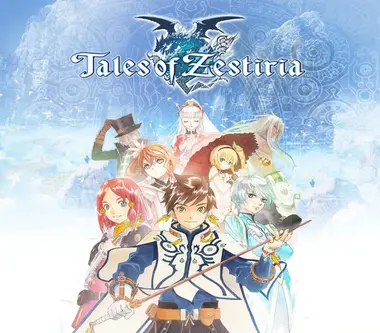
Tales of Zestiria
Type
Digital CD Key
Platform
Steam
Region
Europe
Activation
Valid in Spain
Marketplace Offers
Compare the best prices from verified sellers
Product Description
Hold on to what you strive for!In a world torn by war between two powerful nations fighting for rule and supremacy, accept the burden of the Sheperd and fight human darkness to protect your world from Malevolence and reu...
Technical Specs & Details
System Requirements
SteamOfficial Activation Guide
Provider instructions for this product
- Go to: http://store.steampowered.com/ and download STEAM client Click "Install Steam" (from the upper right corner) Install and start application, login with your Account name and Password (create one if you don't have).
- Please follow these instructions to activate a new retail purchase on Steam: Launch Steam and log into your Steam account.
- Click the Games Menu.
- Choose Activate a Product on Steam...
- Follow the onscreen instructions to complete the process.
- After successful code verification go to the "MY GAMES" tab and start downloading.
Original distributor text. It takes precedence over the general guide.
Supported Languages (9)
Customer Reviews & Ratings
Ratings from customers with a verified purchase
BuyCheapKeys Satisfaction Guarantee
Bought it? You can rate it from your order in My orders.
Technical details and regional compatibility for Tales of Zestiria
Activation details for Steam (Europe)
- Product
- Tales of Zestiria
- Activation platform
- Steam
- Activation region
- Europe
- Delivery format
- Digital key (CD Key)
- Delivery
- Automatic by email
- Developer / brand
- BANDAI NAMCO Entertainment
- Release date
- 2015-10-19
- Guarantee
- Replacement or refund
Frequently asked questions about Tales of Zestiria
Activation, region and delivery
How do I receive and activate Tales of Zestiria for Steam?
Delivery is digital and automatic once payment is confirmed. You will receive an activation key (CD Key) to redeem Tales of Zestiria on Steam. The code is emailed to you and stored in your orders dashboard.
Which region can Tales of Zestiria (Europe) be activated in?
This Steam edition has the "Europe" region. Check the compatibility indicator on the page to make sure it matches your account region before buying.
Is it safe to buy Tales of Zestiria on BuyCheapKeys?
Yes. Keys come from authorised wholesale distributors, and if a key doesn't work we replace it or refund you.
How long does it take to receive my Tales of Zestiria key?
Delivery is automatic: as soon as payment is confirmed, the key appears in your orders dashboard and is sent to your email.
Related Products
Other official licenses and deals you might like
 -10%
-10%Elden Ring: Nightreign
Elden Ring: Nightreign - UNITED STATES
Dark Souls: Remastered
 -73%
-73%Dragon Ball: The Breakers
 -54%
-54%